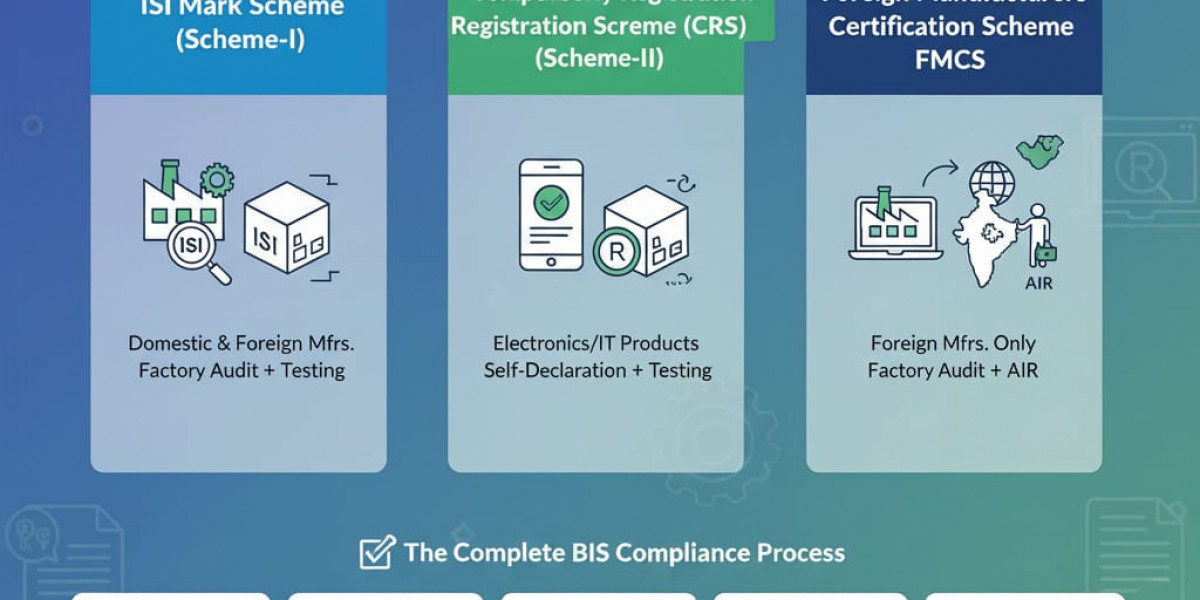

“How to download a BIS certificate” is a common question among manufacturers, importers, and brand owners dealing with BIS compliance in India. The ability to download a BIS certificate depends on the certification scheme applicable to the product—either the ISI Certification Scheme or the Compulsory Registration Scheme (CRS).
The first step is to identify the relevant Indian Standard (IS) and confirm whether the product is covered under the ISI Scheme, which involves licensing, factory inspection, and ongoing surveillance, or under CRS, which mainly applies to electronics and IT products. Clearly defining the product scope—models or variants, technical ratings, and safety-critical components—helps ensure accurate testing and smooth application processing.
Downloading BIS Documents After Approval
· CRS Products:
For products registered under the Compulsory Registration Scheme, once BIS approval is granted, the Registration Certificate with the R-number can be downloaded online from the BIS/Manakonline portal. Manufacturers or their Authorized Indian Representatives (AIR) can log in to the portal, access the approved application, and download the certificate for official use such as customs clearance, tenders, and compliance records.
· ISI-Certified Products:
Under the ISI Certification Scheme, BIS issues a License (CM/L) to the manufacturer after successful factory inspection and approval. The complete ISI license document is not generally available for public download. However, license details—including manufacturer name, product scope, applicable IS number, and validity status—can be verified online through the BIS portal using the CM/L number. The official license letter is typically provided directly to the manufacturer by BIS.
Key Compliance Points
· BIS-recognized laboratories only conduct product testing and issue test reports; they do not issue or allow downloading of BIS certificates.
· Online verification on the BIS/Manak portal is considered valid public proof of certification.
· For audits, tenders, or regulatory inspections, it is advisable to download or print the CRS certificate (where applicable) or the online license verification page and keep it in compliance records.
After approval, manufacturers must strictly follow BIS marking and packaging rules—using the ISI mark with CM/L number or the CRS R-number along with the relevant IS reference. Records must be maintained for surveillance, renewals tracked, and any product changes evaluated to ensure continued BIS compliance.
In summary, CRS certificates can be downloaded online, while ISI licenses are verified online but not typically downloadable in full. A structured, checklist-based approach—covering scope identification, documentation, testing, application, and post-approval compliance—helps ensure smooth BIS certification management.
URL :- https://bis-certifications.com/how-to-download-bis-certificate