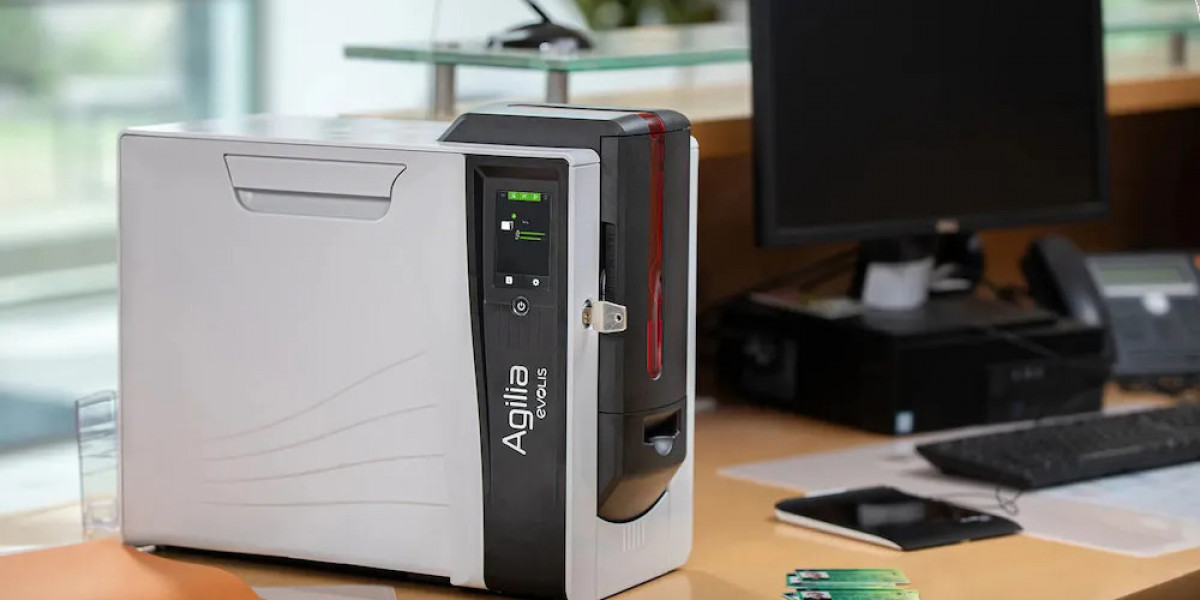

Plastic cards play a vital role in modern businesses, institutions, and organizations. From employee ID cards and membership cards to access control and loyalty programs, professionally printed plastic cards have become essential tools across industries. Choosing the right card printer is a critical decision that directly impacts print quality, security, and long-term operational efficiency.
This guide explores everything you need to know about card printers, including how they work, the different types available, and what to consider when investing in a reliable printer for plastic cards.
What Is a Card Printer?
A card printer is a specialized device designed to print text, images, barcodes, and security features onto plastic cards. Unlike standard paper printers, these machines are built to work with PVC or composite cards and use specialized printing technologies to ensure durability and accuracy.
Businesses rely on card printers to produce professional-grade cards such as:
Employee ID badges
Membership and loyalty cards
Student identification cards
Access control and security passes
Event and visitor badges
A high-quality card printer machine ensures consistent results while reducing outsourcing costs and improving operational control.
How Card Printers Work
A card printer works by transferring ink or resin onto a plastic card surface using heat or pressure. The printing method depends on the type of printer being used.
Direct-to-Card Printing (DTC)
Direct-to-card printing is the most common technology. It prints the image directly onto the surface of the plastic card. DTC printers are cost-effective and ideal for standard ID cards and badges.
Advantages:
Affordable and easy to maintain
Fast printing speed
Suitable for everyday card printing
Limitations:
Slight white border around the edges
Less suitable for uneven or textured cards
Retransfer Printing
Retransfer printers first print the image onto a special film, which is then fused onto the card. This method produces superior print quality and full edge-to-edge coverage.
Advantages:
High-resolution image quality
Ideal for smart cards and security cards
Better performance on uneven card surfaces
Limitations:
Higher initial cost
Slower printing speed
Understanding these technologies helps businesses select the right printer for plastic cards based on quality and volume needs.
Types of Card Printers for Different Business Needs
Choosing the right card printer machine depends on how and where it will be used. Here are the most common categories:
Entry-Level Card Printers
Ideal for small offices or organizations printing a limited number of cards. These printers are affordable and easy to operate.
Mid-Range Card Printers
Designed for medium-volume printing, these offer better durability, faster output, and optional encoding features.
High-End Card Printers
Used by large organizations, these machines support advanced security features, high-volume printing, and superior image quality.
Selecting the right category ensures long-term efficiency and cost-effectiveness.
Key Features to Consider When Choosing a Card Printer
When investing in a card printer machine, several features should be carefully evaluated:
Print Quality
High resolution (300 dpi or higher) ensures sharp text, images, and barcodes.
Encoding Capabilities
Many printers support magnetic stripe, smart card, or RFID encoding for enhanced security.
Connectivity
USB, Ethernet, and network connectivity options allow flexible integration with existing systems.
Print Speed
Faster printers are essential for high-volume environments like universities or corporate offices.
Durability and Maintenance
Reliable machines reduce downtime and long-term maintenance costs.
Why Businesses Choose Professional Card Printers
Using a professional printer for plastic cards offers several advantages over outsourcing card production:
Greater control over design and security
Faster turnaround times
Lower long-term costs
Ability to print on demand
Organizations that regularly issue cards benefit from owning a dedicated card printer rather than relying on third-party printing services.
Card Printers and Security Applications
Security is a major reason many organizations invest in card printers. ID cards often integrate access control technologies such as magnetic stripes or RFID chips. A reliable card printer machine ensures accurate encoding and reduces the risk of unauthorized access.
This makes card printers essential for corporate offices, educational institutions, healthcare facilities, and government organizations.
Choosing the Right Card Printer for Your Business
Before purchasing a card printer, consider the following:
Expected printing volume per month
Required security features
Budget for hardware and consumables
Level of technical support available
Selecting the right printer from the start helps avoid unnecessary upgrades or replacements later.
Final Thoughts
Investing in the right card printer is essential for any organization that relies on professional identification or access control systems. Whether you need a basic printer for staff badges or an advanced solution for secure environments, understanding your options ensures long-term success.
With the right printer for plastic cards, businesses can improve efficiency, enhance security, and maintain a professional image. By evaluating features, print volume, and future needs, you can confidently choose a card printer machine that delivers consistent, high-quality results.