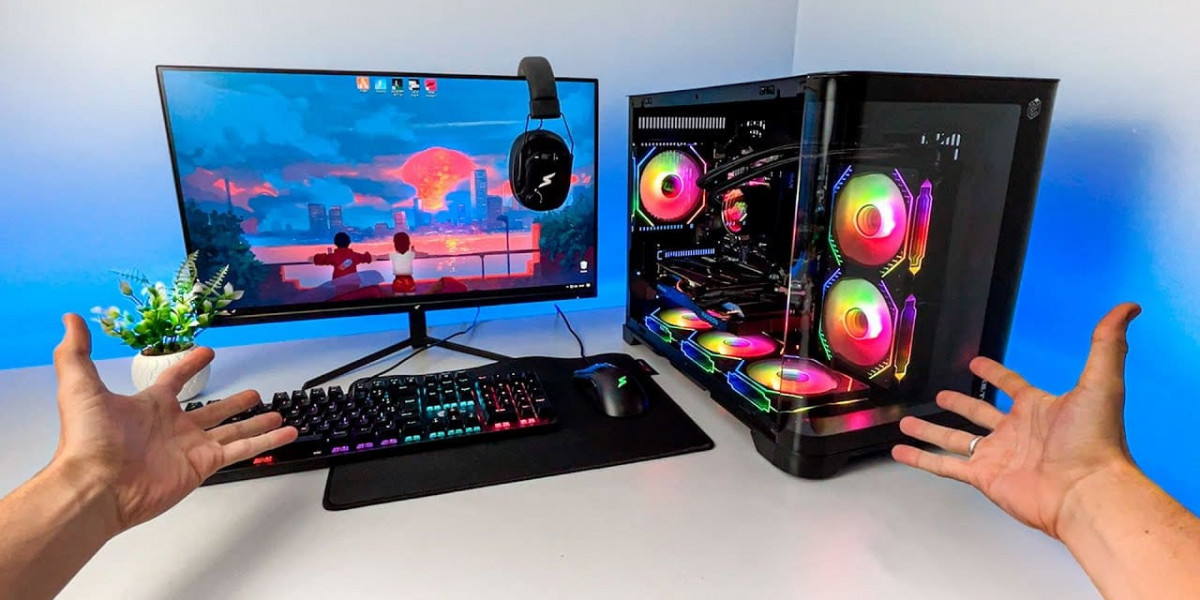

For PC gamers in Pakistan, a high-quality mechanical keyboard is more than just a peripheral—it’s an essential tool for gaming performance and typing comfort. Investing in the Best Mechanical Keyboard in Pakistan ensures durability, fast response times, and enjoyable gameplay. However, even the best keyboards require proper maintenance to stay in top condition. Dust, food crumbs, and accidental spills can affect key performance and reduce lifespan if not properly cleaned.
In this guide, we’ll explain how to maintain and clean your gaming keyboard effectively, helping Pakistani gamers extend the life of their keyboard and maintain optimal performance.
Why Keyboard Maintenance is Important
Mechanical keyboards are designed to withstand millions of keystrokes, but neglecting them can lead to problems such as:
Sticky or unresponsive keys due to dust or debris
Reduced key sensitivity affecting gaming accuracy
Damage from spills that can short-circuit switches
Hygiene issues caused by accumulated dirt and sweat
For competitive Pakistani gamers, a clean and well-maintained keyboard ensures every keystroke is precise, improving performance in FPS, MOBA, and MMO games.
Basic Maintenance Tips
1. Regular Dusting
Use a soft brush or compressed air to remove dust from between keys.
Dusting once a week prevents debris buildup.
Avoid shaking the keyboard aggressively, as it may damage internal components.
2. Avoid Eating Over the Keyboard
Food crumbs can easily get lodged under keys.
If snacking while gaming, consider using a desk tray or separate mouse area to minimize mess.
3. Protect Against Spills
Spills are one of the most common causes of keyboard damage.
Use a keyboard cover or keep beverages at a safe distance.
If a spill occurs, immediately disconnect the keyboard, remove keycaps if possible, and dry the keyboard thoroughly.
4. Keycap Removal
Many mechanical keyboards allow you to remove keycaps for cleaning.
Use a keycap puller to gently lift keys.
Clean keycaps individually using mild soap and water.
Make sure keycaps are completely dry before reattaching.
Deep Cleaning Your Gaming Keyboard
For a more thorough clean, follow these steps:
Step 1: Disconnect the Keyboard
Always unplug the keyboard from your PC before cleaning.
For wireless keyboards, remove the batteries.
Step 2: Remove Keycaps
Use a keycap puller to gently remove all keycaps.
Organize them to make reassembly easier.
Step 3: Clean Keycaps
Soak keycaps in warm, soapy water for 10–15 minutes.
Scrub gently with a soft brush to remove dirt and grime.
Rinse and allow them to air dry completely.
Step 4: Clean the Keyboard Base
Use a can of compressed air to blow out dust and debris.
Wipe the keyboard base with a slightly damp microfiber cloth.
For stubborn stains, use a cotton swab dipped in isopropyl alcohol (70% or higher).
Avoid pouring water directly onto the keyboard.
Step 5: Reattach Keycaps
Once keycaps are fully dry, reattach them carefully.
Test each key to ensure proper function.
Maintenance for Mechanical Switches
Mechanical switches are the core of your Best Mechanical Keyboard. Proper care ensures long-lasting performance:
Avoid Excessive Force – Press keys with normal force to prevent switch damage.
Lubricate Switches (Optional) – Advanced users can apply lubricant to switches to reduce friction and improve smoothness.
Check for Key Malfunctions – If a key is sticky or unresponsive, remove the keycap and clean the switch stem.
Regular Testing – Use software or online tools to ensure all keys register correctly.
Cleaning Wireless Keyboards
For wireless mechanical keyboards:
Remove batteries before cleaning.
Avoid spraying cleaning solutions directly onto the keyboard.
Follow the same keycap removal and base cleaning steps.
Ensure battery compartments are dry before reinserting batteries.
Tips for Pakistani Gamers
Use Keyboard Covers – Affordable silicone covers prevent dust and crumbs from accumulating.
Maintain a Clean Desk – Dust and dirt from your desk can easily transfer to your keyboard.
Schedule Deep Cleaning – Aim for a deep clean every 2–3 months, especially for heavy gaming use.
Monitor Performance – If keys start sticking or failing, cleaning often resolves the issue before it causes permanent damage.
When to Replace Your Keyboard
Even with proper maintenance, mechanical keyboards can wear out over time. Consider replacing your keyboard if:
Multiple keys are unresponsive despite cleaning
Switches feel inconsistent or overly stiff
Keycaps are damaged or worn down
Performance issues affect gaming experience
Investing in the Best Mechanical Keyboard in Pakistan ensures durability and consistent performance, but regular cleaning maximizes the lifespan of your investment.
Recommended Mechanical Keyboards in Pakistan
For Pakistani gamers looking for durable and high-performance mechanical keyboards that are easy to maintain:
Logitech G512 – Sturdy design, customizable keycaps, and reliable switches.
Razer BlackWidow V3 – Removable keycaps, easy to clean, durable mechanical switches.
Redragon K552 Kumara – Budget-friendly, compact, mechanical, and low-maintenance.
Corsair K70 RGB MK.2 – Premium build, easy to clean, long-lasting mechanical switches.
HyperX Alloy FPS Pro – Tenkeyless, durable, and ideal for FPS gaming setups.
Final Thoughts
Maintaining and cleaning your gaming keyboard is crucial for Pakistani gamers who want to keep their setup performing at its best. Regular dusting, careful keycap cleaning, and protective measures against spills can prolong the life of your Best Mechanical Keyboard in Pakistan and ensure every keystroke is precise.
A clean keyboard not only enhances performance in competitive gaming but also improves hygiene and overall gaming comfort. With proper care, your mechanical keyboard can last for years, making it a worthwhile investment for any serious gamer or PC enthusiast in Pakistan.
Whether you play FPS, MOBA, or MMO games, maintaining your keyboard ensures consistent performance and keeps your gaming experience smooth and enjoyable. Pair it with a quality gaming mouse and headset, and you’ll have a setup that’s ready for long hours of competitive gaming.